CAREER SERVICES MANAGER (CSM)

Learn why MBA programs use Symplicity more than any other vendor.

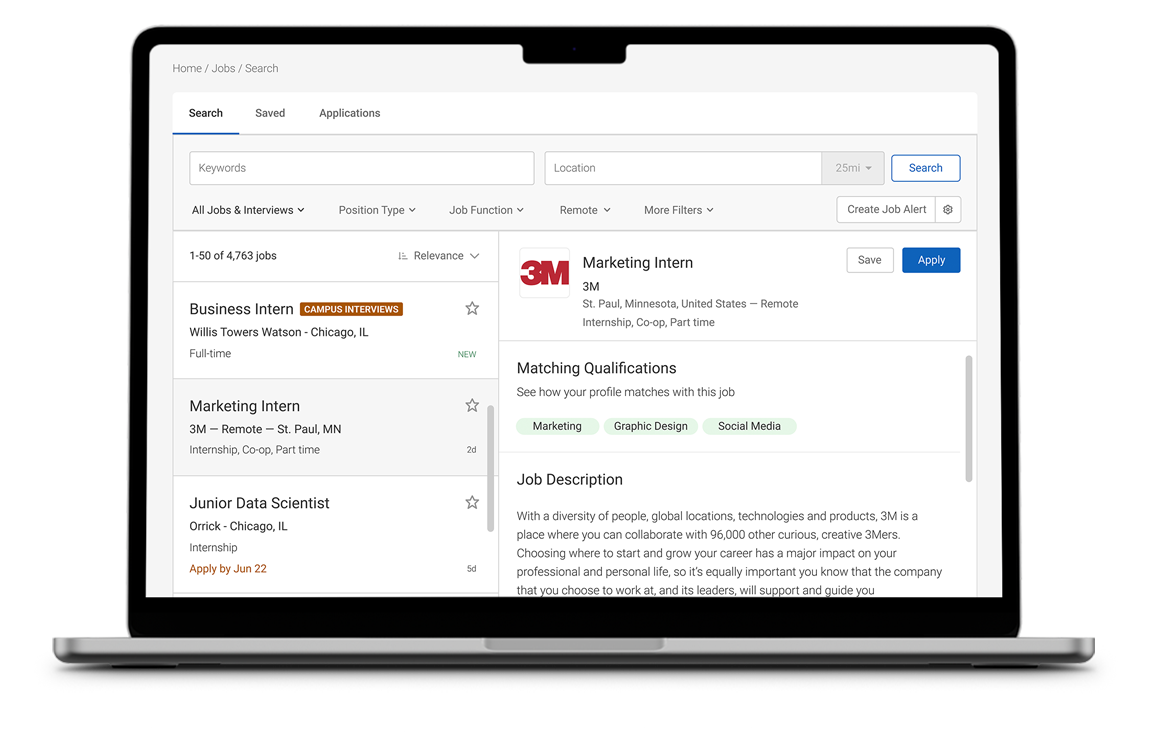
The features below illustrate why most major institutions now utilize MBA CSM to provide more services to employers and students than ever before while increasing efficiency and reducing operating costs for the career office.

Core features

icon - Product Features - Mortarboard

Student/alumni tools

Our product management and support teams include former career counselors who understand that organization is a key component to effective career advising.

All student information is available at your fingertips. We display counseling appointments, applications, interviews, resumé book referrals, and more in a single integrated record.

Icon - Product Features - Briefcase

Employer contact CRM

Our career-focused CRM tools were developed based on years of feedback from recruiting coordinators. These state-of-the-art tools help develop close ties with top employers and recruiters.

Take those employer connections further by delivering interview opportunities, hosting great career fairs, connecting with alumni mentors, and more.

icon - Product Features - Interface Cursor

Candidate interface

Engage students and alumni by providing an attractive interface with easy access to all services. Since students don’t like filling out registration forms and remembering passwords, MBA CSM integrates with campus authentication and student records systems.

Candidates may simply enter their college username and password, and they are off and running!

icon - Product Features - Computer Profile Tag

Employer interface

Attracting top employers is always challenging, but Symplicity has the answer. By leveraging our MBA OneStop integrated recruiting portal, employer contacts can browse MBA programs and easily request an account with your office.

From our user-friendly Employer Interface, your contacts can manage all their recruiting activities with your school from a single, integrated web space.

icon - Product Features - Line Chart

Reporting and analytics

We know that assessment and outcome tracking has become a major responsibility for MBA career services offices to justify the services they deliver and their operating budget.

To help accomplish this, we provide powerful data extraction and usage tracking tools. And, if you’re in a rush, we’ll create a custom report for you on-the-fly.

icon - Product Features - Puzzle Piece Cog

Customization tools

Every office is unique, and most administrators want to tailor their system’s interface to align with their precise vision.

Knowing our customers’ desire for interface control, we provide ultimate customization and configuration capabilities.

icon - Product Features - Cash Register

Flexible pricing

Whether you are a relatively small office or a large program, MBA CSM aligns with the preferences of each career services office by providing a wide range of features and price points. Customers may license the Modular Edition™, which is available for those seeking to pick and choose specific features with varying costs, or the Full Edition™ that offers a full suite of comprehensive tools for an unlimited user base.

We’re here to help

Symplicity’s CSM support team is comprised of career services professionals that have years of experience using CSM as a client. We know how important great customer service is to our career center partners and have many easy ways to reach out to our friendly CSM support experts.


CSM Support Resources

Have an Extranet Account?

If you need an account please contact us.

Symplicity Client Extranet:

The Symplicity Client Extranet is where clients can login to ask system related questions, report and track issues, and access documentation. It is the best and easiest way to connect with us!

Email: csm-support@symplicity.com
Phone: 703-373-7040

*Note: Our client extranet is monitored 24 hours.
Email and Phone support available between 9am – 6pm Monday – Friday.


Frequently Asked Questions

Q: Why do I have to enter a verification code when I login?

A: The verification code is a security measure that will only display after 3

incorrect login attempts. Once you login with the correct credentials it will no longer display. If it does continue to display after a successful login make sure that Cookies are enabled in your browser settings.

Q: I have a student or employer that cannot login! What should I do?

A: There are few common reasons why this may be happening and here are some things to troubleshoot:

1. Make sure that the user is going to the correct login page and that they are not trying to login as an employer through the student login page or vice versa.
2. If you have confirmed that they are going to the correct page it may be that they are trying to use the wrong username or password. Verify this and also recommend that they use the Forgot Password function on the login page.
3. Check to see if they have a password by viewing their Number of Logins in administrative info. If it says “N/A” it means that they do not have a password assigned to them. To assign either set in the Account tab or send them the Welcome Message to generate them a new password.

Q: The forgot password feature is not working for an employers or student?

A: The forgot password function is the easiest way for users to receive a new password. If they report that it is not working it is usually one of three reasons:

1. They have never been assigned a password. Check their number of logins and if it says “N/A” they have to be assigned a password from an administrator before they can login.
2. Make sure that the Forgot Password system message is enabled.
3. Have the user check their SPAM folder.

Q: How do I get my manager account password?

A: For security reasons there is not a forgot password feature available for administrators. Your password can be reset by another administrator or contact us for a new password if you are unable to login.

Q: Why isn’t my search bringing back any results?

A: Try selecting the “Clear” button and then try your search again. When performing multiple searches it is common to have previous filters set which can inadvertently limit the results.

Q: Why do I have duplicate results in my report?

A: If you are including a field that accepts multiple values you can select “Collapse Values into Single Row” to combine selections into one row.

Q: When using the student tracking system, can I hook up multiple card readers to one computer?

A: Sure. You can have multiple card readers on one computer to quickly process student attendance.

Q: What happens if I reject a OneStop posting? Is it rejected everywhere? Does the employer get a refund?

A: If you reject a OneStop posting the job will only be rejected at your school, it can still be posted at the other selected schools. After it is rejected if the number of remaining schools puts the employer in a lower price bracket we send them a refund.

Q: Does OneStop require employers to bypass our school's CSM system?

A: It does not. OneStop actually features a Springboard so your approved employer contacts may jump into your system a click, and they appreciate not having to remember passwords. Furthermore, from the OneStop interface, employer contacts may access your school's customized forms, which feature your logo, just like they would if they were logged in directly.

MBA CSM Primary Features List

Core Features for Staff

  • Executive dashboard for real-time access to vital career services statistics and all items pending approval
  • Employer / Student Announcement Management
  • Calendaring
    • Integrated office calendar shows on-campus interview trigger dates, career fairs, employer information sessions and presentations, workshops and coaching sessions, and other staff events
    • Push workshops and other career services related activities to student and employer calendars
  • State-of-the-art Employer and Student Management Tools
    • Supports multiple contacts per employer paradigm with contact collaboration capability
    • Integrated tabbed records show all related applications, interviews, employment, etc.
    • Activity summary logs all record activity
  • CRM Contact Management Tools Built-in
    • Search by custom flags, job history, event history, follow-up date, industry, contact type, created date, last login date, and more
    • Notes management tools
    • Follow-up action tracking
    • Batch communication tools
    • View printable contact information
  • Email Management
    • Email Message Manager enables an effective push of information to users rather than relying on users to retrieve information from the system
    • Batch email an unlimited number of target contacts or students
    • Supports HTML messages and unlimited attachments
    • Enables managers and employers to store e-mail messages for use in batch mailings
    • Personalize messages using custom fields within the message body
    • Set recurring e-mails tied to particular activities (i.e. an e-mail that triggered when an applicant submits an application successfully)
  • Comprehensive On-Campus Recruiting (OCR) Administration
    • Built-in OCR workflow that is customized to university processes
    • Automates most student and employer OCR processes
    • Interview Room Management
    • OCR Algorithm processes student bids/ranks and generates interviews
    • Virtual Waitlist Manager
    • Automatically facilitates scheduling interviews for alternates
    • One-click Interview Session and Interview Packet generation
  • Job Postings
    • Choose to offer job postings free of charge, or charge a posting fee and keep 100% of the revenue
    • Update and edit all fields
    • Set custom job cycles
    • View number of times a posting is viewed by applicants
    • View/download application materials, email applicants, and generate application packet PDFs to auto-forward to employers
  • Seamless Resume Book Generation
  • Career Fair Manager
    • Customizable online registration form
    • Online invoicing
    • Payment Management System
    • Tabloid generation
    • Online attending company profiles for students
    • Credit card processing and disbursement service
    • Virtual career fair functionality allows for student event RSVP and a searchable resume database for employer participants
  • Information Session Management
    • Automatic invoicing
    • Students may RSVP for Information Sessions
  • Employment Tools
    • Track internship offers and evaluations
    • Administer custom graduation surveys
    • Fully integrated MBA CSC Graduation Survey Module
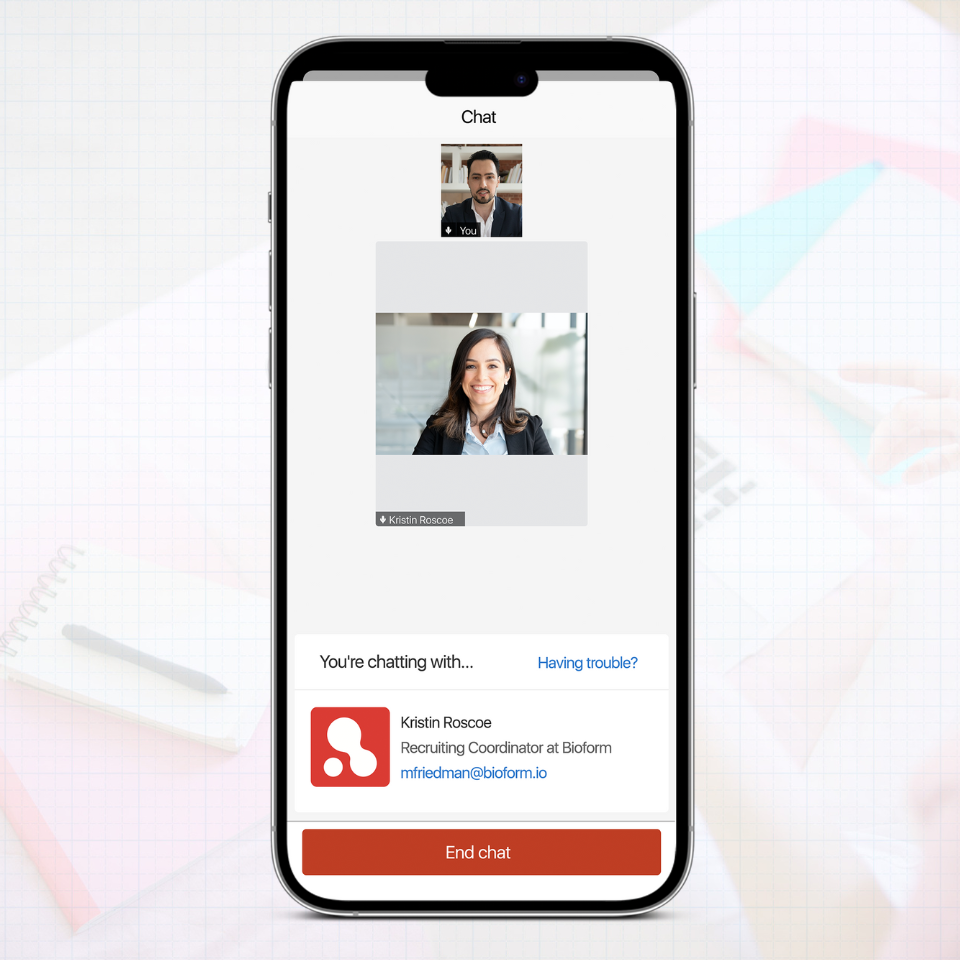
  • Live Career Chat provides career staff with a virtual chat tool to provide basic career development and advising services to students via instant message
  • Comprehensive ad hoc reporting tool allows seamless access to all data with export to Excel™ capability
  • Seamless import of student, contact, and job data from student information systems, alumni information systems, job posting systems, and contact management systems
  • Permissions management: career services staff, students and employers have custom role-based access based on established user rights
  • Event Log shows staff a transaction history and previous versions of all records, and an audit trail of all student and employer activities
  • Usage Statistics show system hits, unique visitors, and bandwidth usage
  • Customizable Forms and Help
    • Staff may add/remove/edit all forms fields including individual field instructions and designation of required vs. non-required fields
    • All dropdown menus are configurable for ultimate flexibility
    • Staff manages all hint and help content
  • Highly available and secure access to critical information 24x7x365
  • Integration with university systems for seamless Authentication (LDAP, Portals), Student Record Updates (Peoplesoft™, SCT Banner™), and Credit Card Processing (Touchnet™, Cybersource™, Paypay™)
  • Help Desk and Client Relationship Specialist provide real-time support and dedicated account management to ensure customer satisfaction

Core Features for Students

  • Career Services Home Page for Students
    • Retains University branding
    • Announcements
    • Quicklinks
    • Alerts
    • Question/Feedback Module
  • Personal Calendar
  • Shows all scheduled interviews, career fairs, information sessions, and workshops
    • Easy download to MS Outlook™
    • Set reminder emails
  • My Profile
    • Easy-to-use profile subsystem where students update their personal account information
    • Employs completion status wizards throughout profile management subsystem
    • Privacy settings enable students to opt-in to resume books
    • Activity Summary provides students with a log of all activities
  • Document Management
    • Students may upload multiple resumes cover letters, transcripts, writing samples, and all other document types
    • Students may upload up to 300 file-types that convert to PDF in real-time
    • Pending Documents feature enables staff to review, critique, and edit student documents and email comments
    • Wizard-based Resume Builder lets students to create resumes on-the-fly
    • Multi-media library enables career services to deliver content in the form of podcasts, presentations, and documents to students
  • Comprehensive Employer Profiles
    • Information includes Product & Services, Corporate Culture, and Key Statistics
    • Logo Management
    • Integration with employer Twitter™ Page
    • Links to employer Facebook™ and LinkedIn™ pages, and other social media
    • Built-in Photo Gallery
    • Multi-media with streaming videos
  • Intuitive OCR bidding/ranking interface, status updates, on-line interview sign-up, and synchronization to MS Outlook™, iPhone™, Blackberry™, and other calendar applications and devices
  • MBA Job Board
    • Employs visual cues to enable students to view OCR and non-OCR jobs at-a-glance and also determine which ones they qualify for
    • Seamless online application submission stores application history automatically
    • Batch print jobs
    • Archives shows past job and internship opportunities
    • Students are informed why they do not qualify for certain jobs
    • Flexible, dynamic, and intuitive job search on multiple criteria, including zip code proximity
    • Extended Job Search provides optional access to 4,000,000 jobs from the nation's #1 extended job search tool, Direct Employers™, which draws from member employer websites, Indeed™, Google™, and SimplyHired™
  • Job Search Agents enable candidates to schedule an automated job search to find jobs matching their interests and skills
    • Job seekers receive notification via email or on-line alerts of relevant vacancies as they are added to the jobs database
    • Job seekers set a number of days for search agent notifications
    • Job seekers may enter multiple search agents and run saved agent searches
  • Seamless on-campus interview management with real-time interview status updates, on-line interview sign-up, and download to MS Outlook™
  • Career fair and employer information session/presentation RSVP with synchronization to MS Outlook™, iPhone™, Blackberry™, and other calendar applications and devices
  • MBA CSC Graduation Survey allows students to easily report both internship and full-time offers online
  • Online Resource Library provides one-click access to helpful video, PowerPoint, and document files uploaded by career services staff
  • Workshop RSVP with time slot sign-up and download to MS Outlook™
  • Integration with Facebook™, LinkedIn™, and Twitter™

Core Features for Employers

  • Home Page for Employers
    • Retains university branding
    • Announcements
    • Quicklinks
    • Alerts
    • Question/Feedback Module
  • Account Management
    • Employers may change contact information
    • Change password
  • Job Posting Management
    • Ability to directly input job postings
    • Receive job applications online, via email, or direct
    • Copy existing, check spelling, screening criteria, multi-location, and custom start and end dates
    • Auto-Generation of Student Resume Packets
  • On-campus Recruiting (OCR) Management
    • Online room reservation
    • Online schedule requests
    • Seamless applicant retrieval and selection
    • Publish and print schedule packet PDFs
    • Submit student interview feedback online
  • Required employer profiles feature key statistics, logo, integrated social media, photo gallery, and multi-media
  • Online Information Session requests and career fair registration with automatic invoice generation and student RSVP management featuring batch email capability
  • Resume databases feature rich candidate search capabilities including resume keyword search and profile filters
  • Submit internship and co-op evaluations online
  • Online Resource Library provides one-click access to helpful video, PowerPoint, and document files uploaded by career services staff

Schedule a Demo

MBA CSM News

From Our Blog

  • Horizons2 (Study Abroad) is Coming Soon!
    The winter update to Symplicity's Study Abroad System, Horizons, will include an appointment tool, the addition of application workflow tools and graphics, an email upgrade, and much more!
  • Using Career Services Manager to Track Alumni Engagement
    The University of Richmond has used the CSM system in a number of ways to track alumni engagement and continues to review the system functionality for opportunities to better capture alumni interaction data. Below are some modules they have used to track the involvement of alumni with their office.
  • What's New for Career Services Manager Users This April?
    This latest release includes many exciting features for Law, MBA, and NACElink. Undergrad Career Services Manager (CSM) users.

Symplicity on Twitter