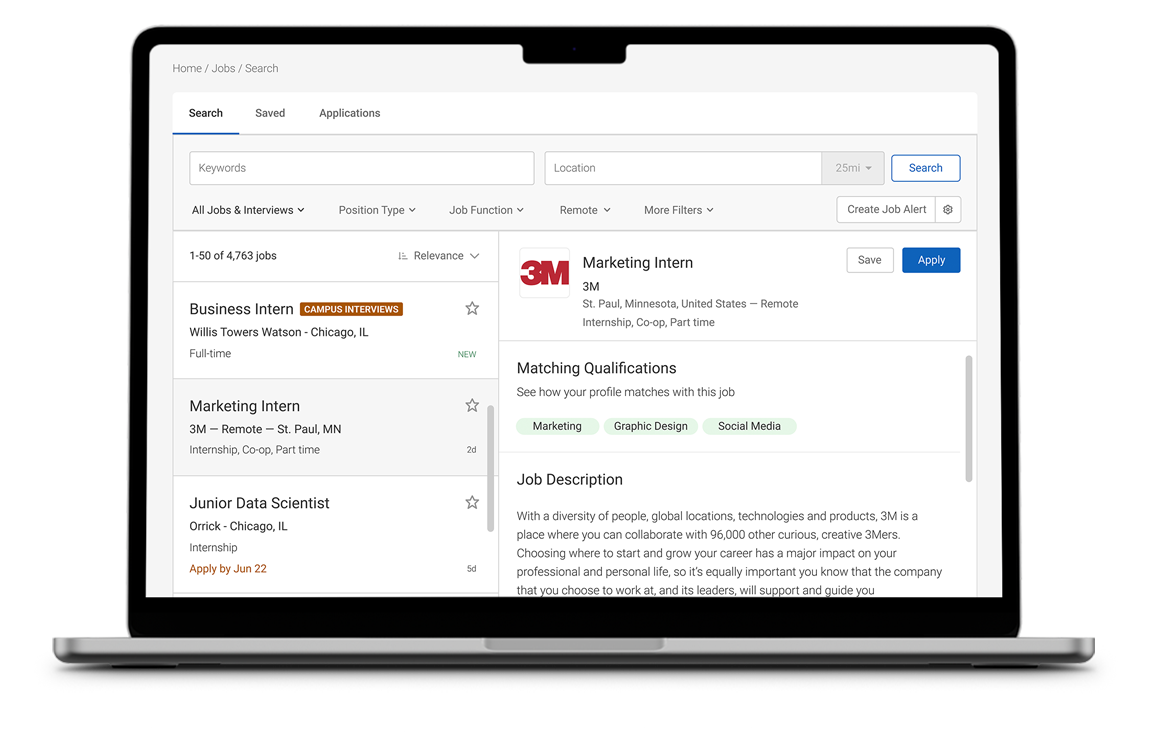
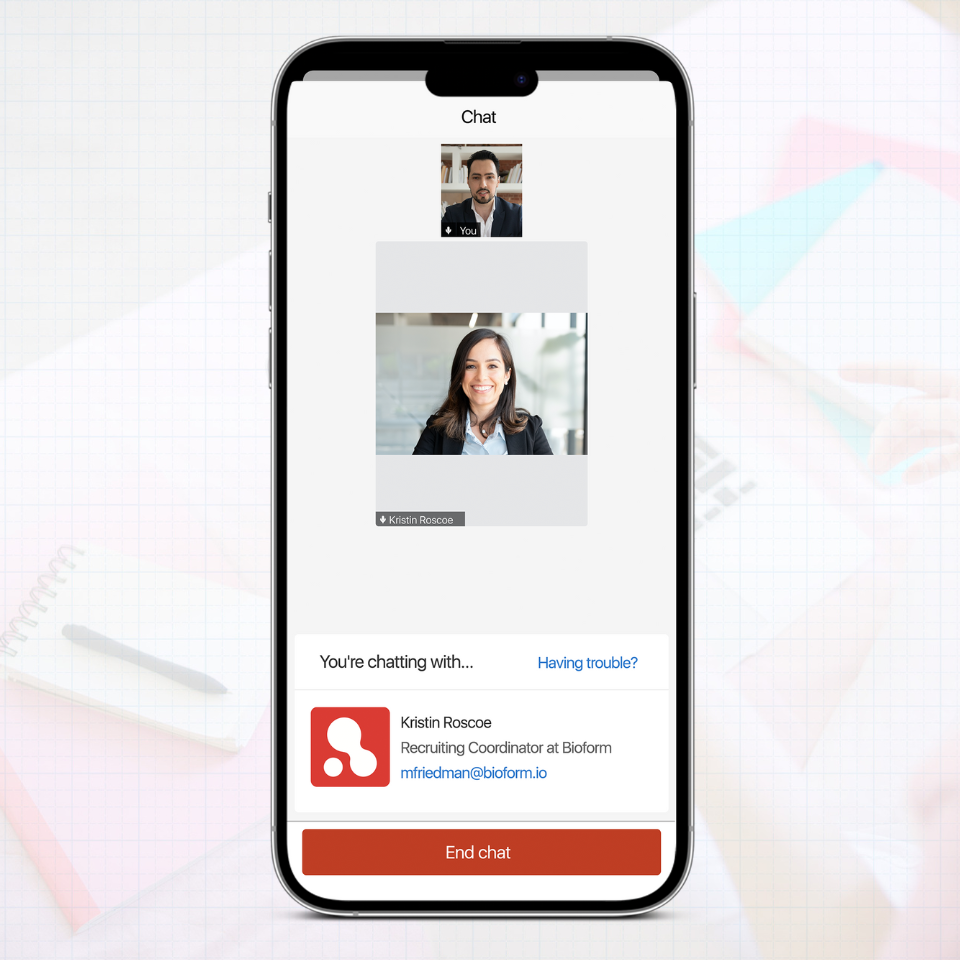
CAREER SERVICES MANAGER (CSM)

Provide students & alumni more jobs and tools than ever before.

Campaign Manager

Icon - Plugins - Case File

Reach out, engage, connect, and grow

Our Campaign Manager enables your staff to streamline their activities to more effectively manage outreach and development campaigns, secure more high quality job postings, and increase participation in your programs and recruitment activities. This module provides all the customer relationship management (CRM) tools that career services offices need for simple target management, efficient messaging, and thorough communication tracking.

Find the right targets

Identifying the right targets is essential to the success of any campaign. We allow you to seamlessly import critical targets from legacy systems and other directories as well as simply point-and-click to populate campaigns from your existing Contacts and Students databases.

Create unlimited custom campaigns

Reach students and top employers in minutes with unique outreach campaigns to increase student participation in graduations surveys, broadcast new programs (mock interviews, job shadow, alumni networking, etc.), boost participation in career fairs and on-campus interviews, and market sponsorship opportunities to key employer contacts.

Send focused, well-timed communications

Professional-looking emails are critical, so we make it easy for you to draft personalized HTML communications on-the-fly. Follow-ups are a snap as Campaign Manager automatically cues scheduled emails and reminders, based on your preferred time schedule, ensuring that students and employers contacts are always on your radar and in the loop.

Track targets every step of the way

Keeping track of hundreds of leads is a daunting task, so we automatically log all emails sent from the system, as well as from individual or corporate mail clients, to create a history of past email and phone correspondence (including cold call tracking). Campaign Manager also tracks which emails are opened and notifies you when targets click on linked embedded in your messages. With tracking info in-hand, stay organized by setting the status of each target (warm, cold, dead, etc.) and rate the odds of closing the deal. You can always keep your campaigns fresh with our Bounce Manager which identifies invalid email addresses and lets you merge or delete targets with a click.

Measure your progress

Showing stats on open and click rates is important when managing individual campaigns, but it's when you start comparing results over time, and across campaigns, that our reporting and analytics tools, which feature Export to Excel™, come in handy. And by comparing open and click rates, you can easily see what content resonates with your targets and what doesn’t. Take a global view using our Dashboard Reports, which provide a quick graphical output that makes it easy to see statuses across all targets and understand which campaigns are successful.

Career Fair Manager

Icon - Product Features - Briefcase

Wanna run fantastic career fairs?

Career Fair Manager (CFM) empowers career centers with all the tools to effortlessly administer all aspects of career fairs.

Your office can move to the cutting edge of efficiency and professionalism, provide your students with more opportunities to meet more recruiters face-to-face, and enhance your offering to employers with value-added advertising and sponsorship opportunities and a higher student turn-out.

Simple registration and payment processing for busy employers

Employers may quickly register – no login required! Once approved, recruiters receive an attractive email confirmation with venue details, booth number, directions, and more. Plus, we generate and deliver invoices and payment receipts in real-time.

Want to process credit cards? We can either process credit card payments on your behalf or fully integrate with campus credit card processing vendors such as TouchNet™, CASHNet™, CyberSource™, PayPal, Authorize.Net™, and more.

Registered employers may then login any time to access a full calendar of events, further develop their profile, browse an RSVP database of interested students, send student e-mails, and access an event resume book.

Facilitate student-employer connections

Before the event, students can research employers and plot their booth visits. Our online employer profile database provides students with easy access to available positions, majors recruited, key statistics, and much more.

Interested students may RSVP and submit their resumes to attending employers online. Upon arriving at the event, attending students swipe their college ID card and receive an auto-generated name badge.

On the day of the event, automatically generate a print directory of attending employers that includes logos, advertisements, booth numbers, available positions, etc. With this profile book in-hand, students will set for success!

Plan it, execute it – you are in control

The employer registration form, approval workflow, and invoicing process are 100% customizable. Point and click to confirm new registrants, post received payments, set booth numbers, and track specific booth requirements.

Leverage our built-in CRM tools to generate excitement, invite prospective employers, and email personalized, event-related care packages and follow-ups to confirmed attendees before and after the event.

Career Fair Manager (CFM) also provides a revenue stream to your office. We help you build creative sponsorship packages and advertising opportunities for employers seeking to enhance exposure both online and at the venue.

Quickly analyze outcomes

Easy access to data is critical to ensuring the success of present and future fairs. Our reporting features will enable you to instantly conduct a detailed analysis of the event.

All career fair registration fields are reportable allowing you to capture venue details (numbers of chairs, electric hook-ups, etc.), accounting info (outstanding charges, payments received, etc.), student attendance, cancellations, and much more.

Key reports can be stored and re-generated later or copied to build a new report. Reporting results can easily be exported to Excel and converted to charts and graphs.

Counseling Appointment System

icon - Product Features - Calendar

Now career counseling staff can focus on what they do best.

Our Counseling Appointment System allows counseling staff to spend more time engaging students and less time managing their appointment calendars.

This module streamlines all aspects of meeting management to more efficiently schedule counseling and advising appointments, track notes and follow-ups, and capture statistics.

Take the hassle out of appointment booking

ur friendly appointment sign-up interface eliminates the back-and-forth hassle of the typical scheduling process. Students see only available dates and times, and designated staff can simply point-and-click to approve appointment requests.

Our Availability Matrix allows staff to manage their weekly availability in real-time. Personal appointments and office-wide events (staff meetings, retreats, etc.) may be entered months in advance and automatically impacts meeting availability.

Individual appointments sync with calendar applications, smart phones, and Facebook. Plus, we send detailed meeting reminders via email and text so that students and staff don’t forget.

Integrate your calendars

Move to one integrated system for managing all recruiting and career development events and activities with our integrated office calendar. It allows you to toggle between employer-focused events and student appointments with a click.

Pull up your calendar to see your personal schedule for the day/week/month or access others’ from a single interface. Our visibility controls ensure that only authorized staff may view private events and appointments.

We offer full integration with Microsoft Exchange and support iCal and SyncML so that you may easily synchronize with Outlook, Lotus, and Google Calendars as well as smart phones by Apple, Blackberry, etc.

Access relevant student data and keep notes

From the calendar, click on a detailed student record to get the “big picture” view a student. You may access related flags, documents, notes, past application, and event RSVPs from a tabbed interface.

Our customizable counseling notes allow you to record topics discussed, resources provided, and much more. Then, set an automatic follow-up reminder so you won’t forget to circle back in the days ahead.

We understand that student data privacy is critical and have developed user rights to ensure that only approved staff can view and/or update counseling appointments, notes and follow-ups.

Zoom in, zoom out, see results

Our reporting module provides real-time access to all data, so you can generate reports on any counseling fields within the system. Better yet, you can even include student profile details.

Create general counseling overview reports, or report on specific details such as appointments by staff member, date, student demographics, no-shows, and more. Our summary statistics also provide a quick synopsis of results.

Get creative! Each report output may be easily exported to Excel, and our Management Dashboard generates graphs, charts, and more all on-the-fly.

Credentials Manager

Icon - Product Features - Page Envelope

Simplify letters of reference

Are you looking for a way to manage your students’ letters of reference without the mounds of paper? Then, we recommend Credentials Manager!

Online recommendation requests

Requesting recommendations has never been easier. Students may request recommendations (both confidential and non-confidential) from any person on or off-campus by submitting a simple online request through the system.

Students receive real-time updates on their status of their recommendation and may follow-up on pending requests with a click. And if they receive a recommendation offline, they may upload it in real-time.

Once all requested recommendations are received, students may order credentials packets with ease. We also provide online payment options for career services offices that would like to charge students a credential processing fee.

Make life easy for recommenders

To ensure students are receiving their preferred recommendations, we have developed a user interface for recommenders that makes it fast and easy to respond to requests for recommendations.

Drafting and/or uploading recommendations is painless. Recommenders receive real-time email notifications of pending recommendation request, with an embedded one-click access link to direct them to their submission form.

After clicking on the recommendation request link, recommenders are prompted to either upload a file directly or complete a recommendation from scratch from our built-in rich text editor.

Credential order processing made easy

Once a credential file order has been submitted to your office, you may generate a custom-branded credentials packet with a cover page that feature your university’s seal and terms of use.

System settings control the work flow process, and once all related documents are received, you may publish and distribute PDF credentials packets to graduate schools and school districts a click.

Our Credentials billing system allows your office to charge students and accept credit card or check payments. Credential Manager also offers batch invoice generation, payment processing, receipt generation tools.

Enhanced Resume

icon - Product Features - Page Puzzle

Looking to help students create great resumes?

The Enhanced Resume Builder 2.0 offers the perfect solution! The module provides the online tools and professional assistance needed for students to create an unlimited number of cutting edge resumes and cover letters.

Develop starter outlines, examples and layouts

With our Resume Outline Tool you can offer an unlimited number of “starter” resumes with a variety of section headers and real-life resume examples. Provide functional outlines, internship outlines, and much more.

As students enter content, provide your own 200+ action word database and a library of hundreds of fully custom sample bullets. Students will always find the right word or phrase.

When the time comes for students to design their resume, they can pick from a wealth of customizable layout styles. And as they peruse layout options, we provide a real-time preview.

No Word™, no problem

Building a resume from scratch has never been easier! Students create custom resumes and cover letters from a methodical step-by-step interface that gives them complete control of the content and style.

Along the way, student may add and move around section headers; check spelling; change fonts, text size, and alignment; update margins; and gauge the number of pages with our virtual page demarcation.

Students may save completed documents as PDF, Word™, and/or generate web URL for business cards. Resume and cover letters are automatically stored in the system, which makes it easier to apply for jobs.

Seamless review and feedback

Creating resumes with professional guidance has never been more critical than with today’s competitive job market. The Enhanced Resume Builder allows students to seamlessly submit resumes to you for review and feedback.

Add your critique comments directly on documents and submit your feedback with a click. Staff may also track the number of times the resume has been submitted for review.

Once a resume has been reviewed, students may then review your feedback and easily make the necessary changes. And with an approved resume in-hand, students may start applying for jobs immediately.

Experiential Learning

icon - Product Features - Computer Interface

The Experiential Learning module is a comprehensive solution for posting Co-op and Internship positions, managing applicants, and tracking offers.

It provides an easy-to-use interface for students and employers to document the experience and submit evaluations.

Streamlined postings system

Our custom co-op/internship program registration form allows you to determine which students may apply for experiential learning positions. And the experiential learning job form fields are unique to your co-op/internship program.

Our cyclical posting feature allows a position to open and close automatically during the same time period every year. Employers may also submit screening criteria to determine eligible applicants.

We streamline the posting administration process even further by tracking the number of openings and auto expire postings once the number of placements equals the number of openings.

Track employer offers and evaluations

Co-op/internship coordinators may determine which student’s applications are referred to particular employers. You are in full control of the application process with the ability to hide and forward selected applicants to employers.

Our seamless offer management tools allow employer contacts to invite students to interview in real-time. Employers are then presented with an easy rank and offer interface to set their list of preferred candidates.

After ranking students, employers submit offer details online, and then later, log in to complete an evaluation form for each student that was customized the co-op/internship program staff.

Student offer and evaluation processing

CSM automatically notifies students when offers arrive so they may either rank, accept, or decline pending offers. After accepting an offer, students may immediately begin documenting their learning objectives.

Students may fill out multiple evaluation forms during their co-op/internship experience. Students rate their own performance, the employer, and the co-op/internship program itself on a variety of customized criterion.

We have also eliminated the need of congested inboxes and filing cabinets by giving students the ability to upload a semester report or other summary documents directly.

Job Kiosks

Icon - Plugins - Kiosk

Job postings anytime, anywhere

Job Kiosk software lets you take career services beyond the office walls! Place Job Kiosks in popular locations around campus to offer students convenient access to your job board and opportunities delivered exclusively through your office.

Delivered by Career Services

We know that retaining the identity of you career center is important. You may design the look and feel of the interfaces to express your office’s unique personality. Students will recognize that the kiosks are a service provided by your office, not a third party. You may also post a friendly welcome message to draw attention to the service.

Job Kiosks display opportunities delivered through your office. Students may browse all types of postings from on-campus interview opportunities to internships to student employment, and more.

Easy, direct access for students

Students are always on the run and often don’t have time to sit down and look for jobs. Our Job Kiosks are mobile and bring the job search right where the students are 24 hours a day.

Students only need to swipe their College ID card or punch in their Student ID to access the resource. Advanced swipe card technology lets you easily track which students are using it.

Job postings can be filtered by jobs the student qualified for, career fair postings, and more. Students can apply to postings right from the Kiosk, or send job details to their email address for later review.

Quantify your success

Accurate student usage reports are essential to show the valuable services your office provides. Our software tracks student usage, identify trends, and see which kiosk locations are most effective.

Create ad-hoc queries on Kiosk tracking fields, as well as view saved queries and past activity reports. Reporting results can easily be exported to Excel for graphing purposes.

Multi-School Environment

Icon - Plugins - University Sheild

Lead in

Do multiple career services offices at your institution want to work together without losing their identity? Our Multi-School Environment (MSE) is the ideal solution for career services centers interested in integrating while maintaining their own custom system instance.

Integrated student accounts and job board

Implementing a MSE makes it easy for student to access multiple campus career services offices and increases the number of available job opportunities. Student usernames and passwords are synchronized across office systems and their core information is portable from office to office. And once logged in, students may toggle between systems.

Students may access an integrated job board to view postings from any office. They can easily apply to any posting from any office as their uploaded documents always come with them.

Easier access for employers

Are employers getting confused about where to post their jobs at your institution? With MSE, contacts simply post a job once knowing it will be delivered to all relevant candidates.

Employer contact account information is synchronized across office systems and employer profiles are portable from office to office. And once logged in, contracts may toggle between systems with a click.

Collaboration with Control

Each office may independently control its branding, customizations, and system settings. Beyond that, offices may choose which objects are integrated such as interview schedules, campaigns, resume books, and more.

MSE offers staff the ability to share information across offices without compromising database control. We set affiliations on individual records ensuring edit access for the owning office(s), read-only for others.

Professional Network

Icon - Plugins - People Network

Want to create a database of prospective alumni mentors and volunteer career advisers?

Our Professional Network (ProNet) is the answer – post a custom online registration form for alumni and employer contacts to easily register, and then connect interested students with a mentor. This exclusive school-branded database of professionals, alumni, and mentors also includes comprehensive search tools and network member confidentiality controls.

Build a great network

Our completely customizable registration form allows managers to capture the key data necessary to create an accurate, expansive network of mentors. All registration form data can be collected in convenient ad hoc reports that easily export to Excel. Plus, we enable managers to control the visibility of mentor profiles to students and provide a “Student View” feature to track the number of times a student has reviewed a mentor/professionals.

Connect students to the right people

ProNet offers students a variety of search criteria to make locating a compatible mentor a snap! Students can search for mentors by: geographic area, industry, job function, graduation year, and more. Once a potential match is found, students can “Express Interest” with a click, or save the mentor to a list of “favorites” for future review.

Invaluable career insight and advice

Mentors and professionals can register in minutes and enjoy convenient control over their profile visibility and content. Our seamless registration form does not require the mentor to have an existing Career Services Manager account. Confidentiality controls allow Network members to choose what contact information to display (email, phone, mail) and offer the ability to enable/disable their profile in real-time. Members can also choose to limit the number of times a student can request interest.

Student Tracking System

Icon - Plugins - Radar

Looking for a way to measure student involvement in career services activities?

Our Student Tracking System (STS) features a kiosk interface and swipe card technology so you can track student event attendance, on-campus interviews, and career center visits. This system will provide you the tools necessary to share critical statistics on career services traffic and usage.

Simple check-in

Students are always on the go, and we’ve streamlined the check-in process. Kiosks are mobile and don’t require an Internet connection so just plug them wherever students go!

It’s convenient – students only need to swipe their Student ID card or punch in their Student ID. You’ll know who came through your lobby and who attended your events and when they did it.

At events, we generate student name badges in real-time. In your lobby, we automatically notify counseling staff that a student has arrived for an appointment. Customize the user experience

Every office has its own personality. Brand the kiosk look and feel with custom skins. Customize the entire user experience by posting friendly messages bubbles (welcome, thank you, etc.) where appropriate.

In your career center, customize the walk-in activities that you’re tracking from interview coaching to job search assistance to resume critiques. After each swipe, administer surveys to enhance assessment efforts.

At events, our name badge controls allow you to tailor label content and layout. And students interviewing on-campus will be able to select from a pre-populated list employers interviewing that day.

Job postings anytime, anywhere

Our Job Kiosk software takes the career center around campus!

Place these kiosks in popular locations across campus (student union, large dormitories, etc.) to offer students convenient access to your job board and opportunities delivered exclusively through your office.

Measure success

Accurate student activity reports are essential to show the valuable services your office offers. We take this assessment to the next level by allowing you to identify trends in student engagement.

This system lets you create ad-hoc queries on all student tracking fields, as well as view saved queries and past activity reports. Simply save the results to Excel for graphing capabilities.